Clean up your invoice data before e-invoicing
Customer records and ICE, numbering, VAT templates, credit notes, invoices that match deliveries: the data to put in order, and how FlexiERP keeps it.
Open your customer list and look for your largest account. There is a fair chance it appears twice, spelled two ways, one with an ICE and one without. Someone created the second record on a busy day because the first one did not come up in the search. Since then the invoices have been split between the two, and nobody is sure which one has the right address.
That kind of mess costs little while invoices go out as PDFs and mistakes get settled over the phone. The e-invoicing model announced by the DGI, pending its decree, changes the picture: each invoice would be checked by the tax platform before it reaches the customer. Wrong data at the source would become a stopped invoice. The transmission format will be set by the texts. The quality of what you send can be worked on now.
Start with the customer record
The law already requires the invoice to show the buyer’s name, address and ICE. For a business customer, the ICE is also what lets them recover their VAT, and an invoice without a valid one often comes back. So the first job is to merge duplicates, fill in missing ICE numbers, and separate head office, delivery and billing addresses, which often end up mixed in a single field.
In FlexiERP the customer record holds the ICE and the IF, the customer type (business or individual), several addresses and contacts, payment terms and the credit limit. Once it is clean, every quote, order, delivery and invoice picks it up as it is. Your side of the invoice works the same way: your own identifiers are entered once, in the company record.
Numbering, VAT and credit notes
Invoices must follow a continuous series. Gaps appear when several people number by hand, when an invoice is deleted to be redone, or when two tools invoice side by side. FlexiERP numbers each document type in its own series. A validated invoice is not deleted: if it is wrong, a credit note corrects it, and a cancelled document stays visible with its trail.
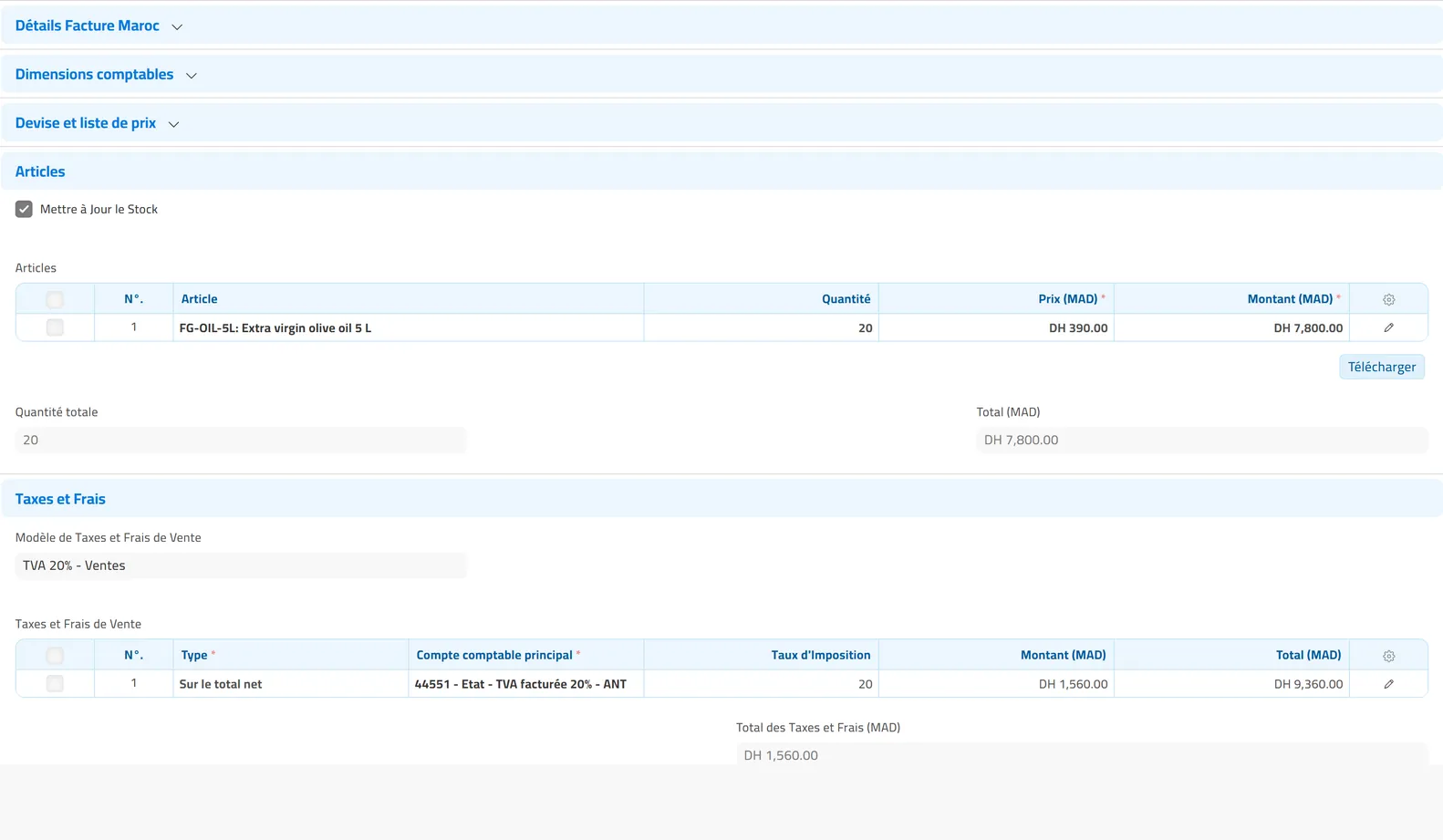
VAT deserves the same review. Each item needs the right treatment, and exceptions, an exempt product for instance, should be written into the system rather than remembered by one accountant. FlexiERP applies VAT from tax templates: the item’s own template if it has one, otherwise its tax category, otherwise the company’s default template, such as VAT 20 % on sales. A tax rule can also pick the template by customer or by item.
Invoice what was delivered
An invoice can be correct in form and still wrong in substance: twenty units invoiced for eighteen delivered, say. The simplest control is to have the invoice come from the delivery. In FlexiERP the invoice is created from the order or the delivery note, and each order shows the percentage delivered and the percentage invoiced. The order, the delivery note and the invoice describe the same sale, and a gap shows up before the invoice goes out rather than after the customer complains.
Who answers for which data
A clean-up only lasts if someone keeps the data clean afterwards. It is worth deciding, in writing, who creates and edits a customer record, who maintains the tax templates and the series, and who approves an exception. In FlexiERP, roles and permissions put those decisions into practice, approval paths follow the thresholds you set, and every change is traced along with the person who made it.
This work is also part of the deployment: structuring the data is a step of its own, carried out with each department before going live. FlexiERP keeps the invoice data a transmission will draw on, structured and complete, and FlexiGlob sets up the connection with the tax platform as part of the deployment, once the format is published. Whatever new rules the decree brings can then be added as extensions around the core, without redoing this groundwork.