How to keep attendance, leave and payroll in one place
At month end, HR chases clock readings, leave forms and workshop notes. What changes when the employee file, attendance, leave and payroll share one application.
The end of the month comes around and HR starts collecting. There is a file from the time clock, a stack of leave forms, a supervisor’s note about who swapped a shift, and a message from another site saying its list will come tomorrow. Somebody puts all this together by hand so that payroll can go out on time. Then an employee comes to the office to dispute a day, and the search through the papers begins again.
For a factory with several sites, this is a large share of what HR does each month. Most of it is collecting and checking, and very little of it has anything to do with people.
Where the month-end scramble comes from
The information about one employee is usually spread around. The contract and personal details are in a folder or a file, attendance is on a machine, leave requests are on paper or in someone’s email, and payroll runs in its own tool. Each of these is correct in its corner. Nothing connects them, so a person has to.
That person is also a single point of weakness. When the one colleague who knows how the files fit together is on leave, the rest of the department finds out how much of the process was in their head.
Managers feel it too. A workshop manager who wants to know who is present on a shift, or how many days of leave someone has left, has to ask HR and wait for the reply.
From the clock to attendance
Biometric time clocks can feed attendance in FlexiERP. The readings come up into attendance with nothing to retype, so one source of copying errors goes away at the start of the chain, and an employee disputing a day can be shown the same record HR is reading.
The clock remains the clock. A forgotten badge is still a forgotten badge, and someone still has to deal with exceptions. What changes is that their time goes to the exceptions, and the ordinary days take care of themselves.
The employee file, leave and payroll together
FlexiERP keeps the employee file, attendance, leave and payroll in one application. Morocco is ready out of the box here too, with payroll that includes CNSS, and all of this sits next to the rest of the company’s operations, under the same access rules.
Every company has its own habits on shifts, bonuses and the way a particular workshop is organised, and it would be a mistake to assume they all fit one standard. Those rules are worth raising in the workshops with HR and with the department heads. Where the base does not cover something specific to your company, custom extensions exist to turn your rules and calculations into functions of your ERP.
Who is allowed to see salaries?
Directors ask this one first, and they should. Pay and personal details are the most sensitive records in the company. In FlexiERP each job sees its own screens and nothing else, and the company decides on the access and approval paths. A workshop manager can follow attendance without having access to what anyone earns, if that is how you set it up. Every change goes into the audit trail, so a correction to an employee’s record leaves a trace of who made it.
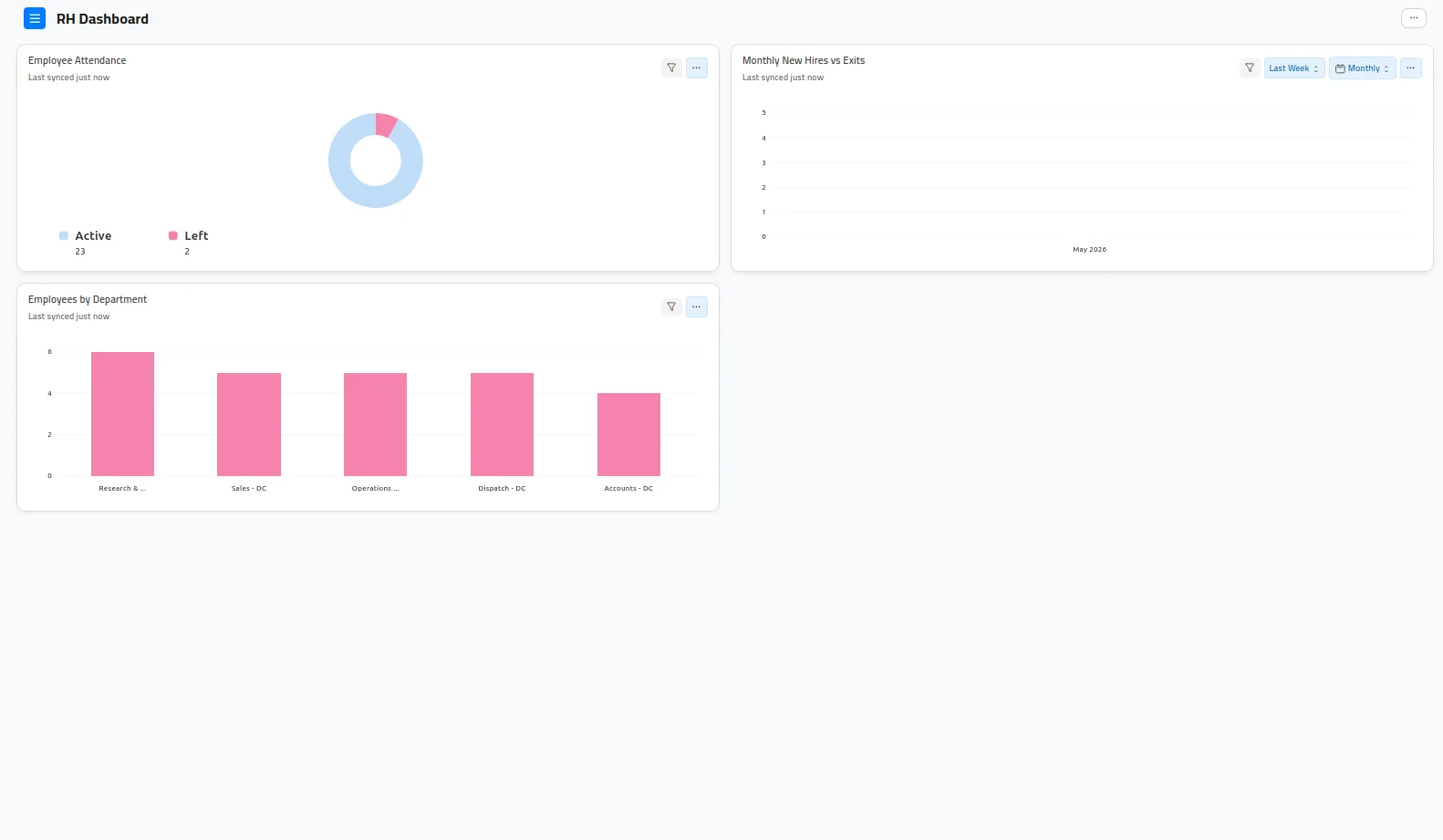
A general manager gets a different view from the HR dashboard, which shows headcount, attendance, leave and payroll. The questions that used to need a request to HR, such as how attendance looks on a site this month, can be read on the screen by the people who have the right to read it. The HR team keeps its time for the conversations that do concern people, including the employee who comes to the office about that disputed day.